GAN i4 Review: How Good Is GAN's Mid-Range Gyro Smart Cube?
TL;DR & Overview
GAN i4
Score
Pros
Cons
Specifications
Introduction
Is the GAN i4 the smart cube upgrade the mid-range has been waiting for, or is there a catch? On paper it closes exactly the gap between the budget iCarry 4 and flagships like the 12 UI: full 360° gyroscope, zero-loss move tracking and a rechargeable GanPod, at well below flagship money. We solved on it for several weeks, including fast TPS abuse, tension experiments and battery rundowns. Here is what we found.
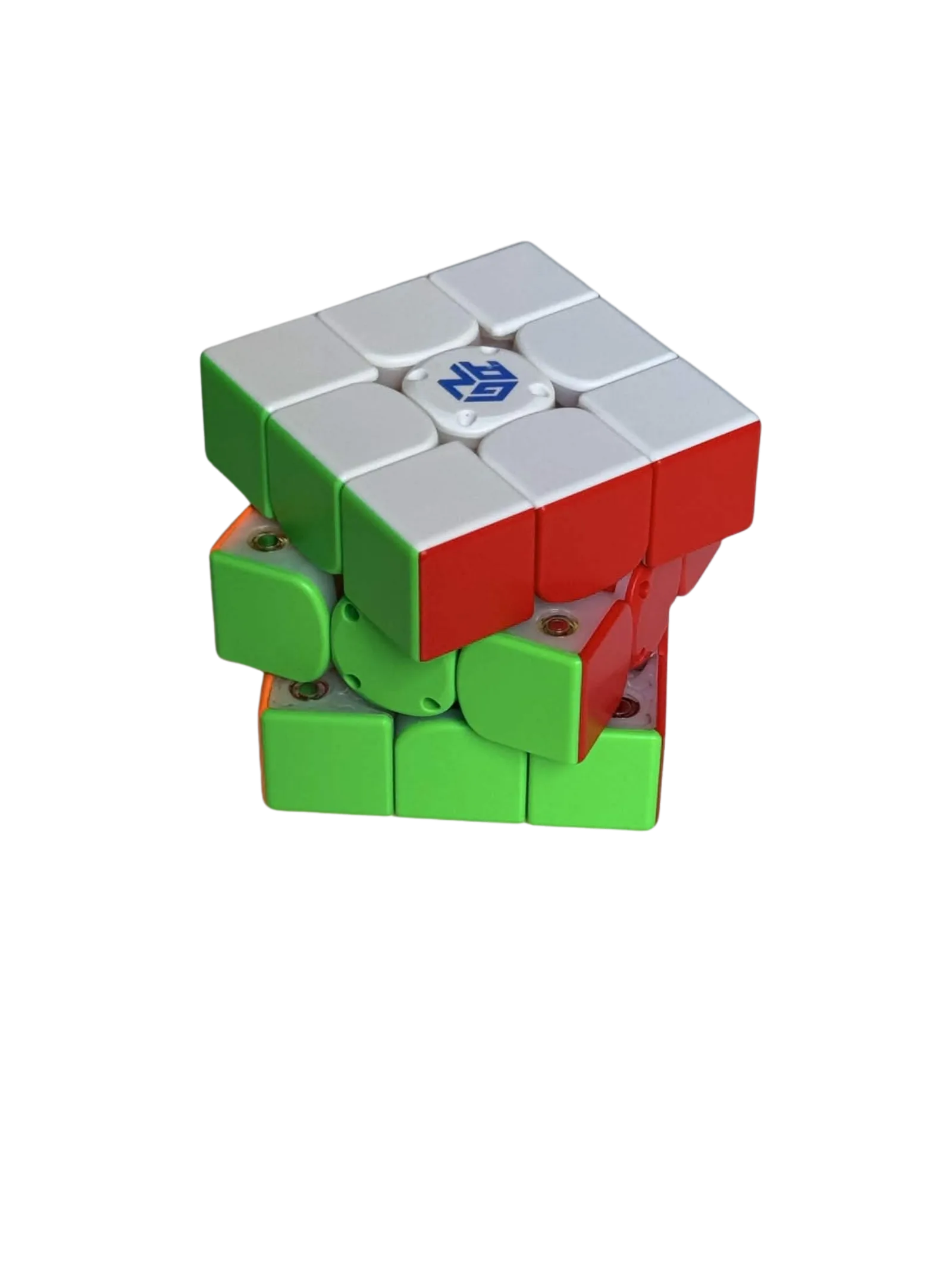
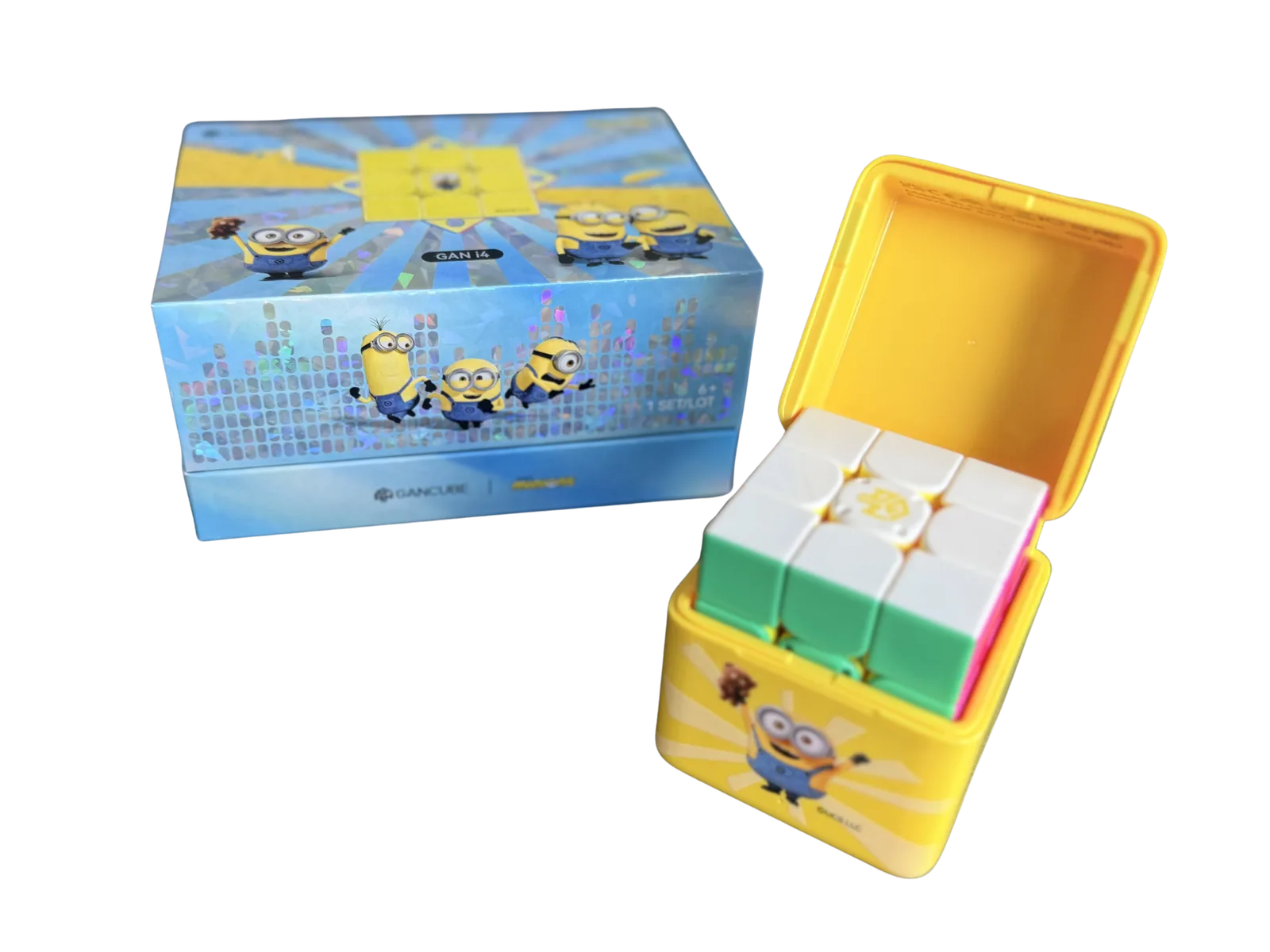
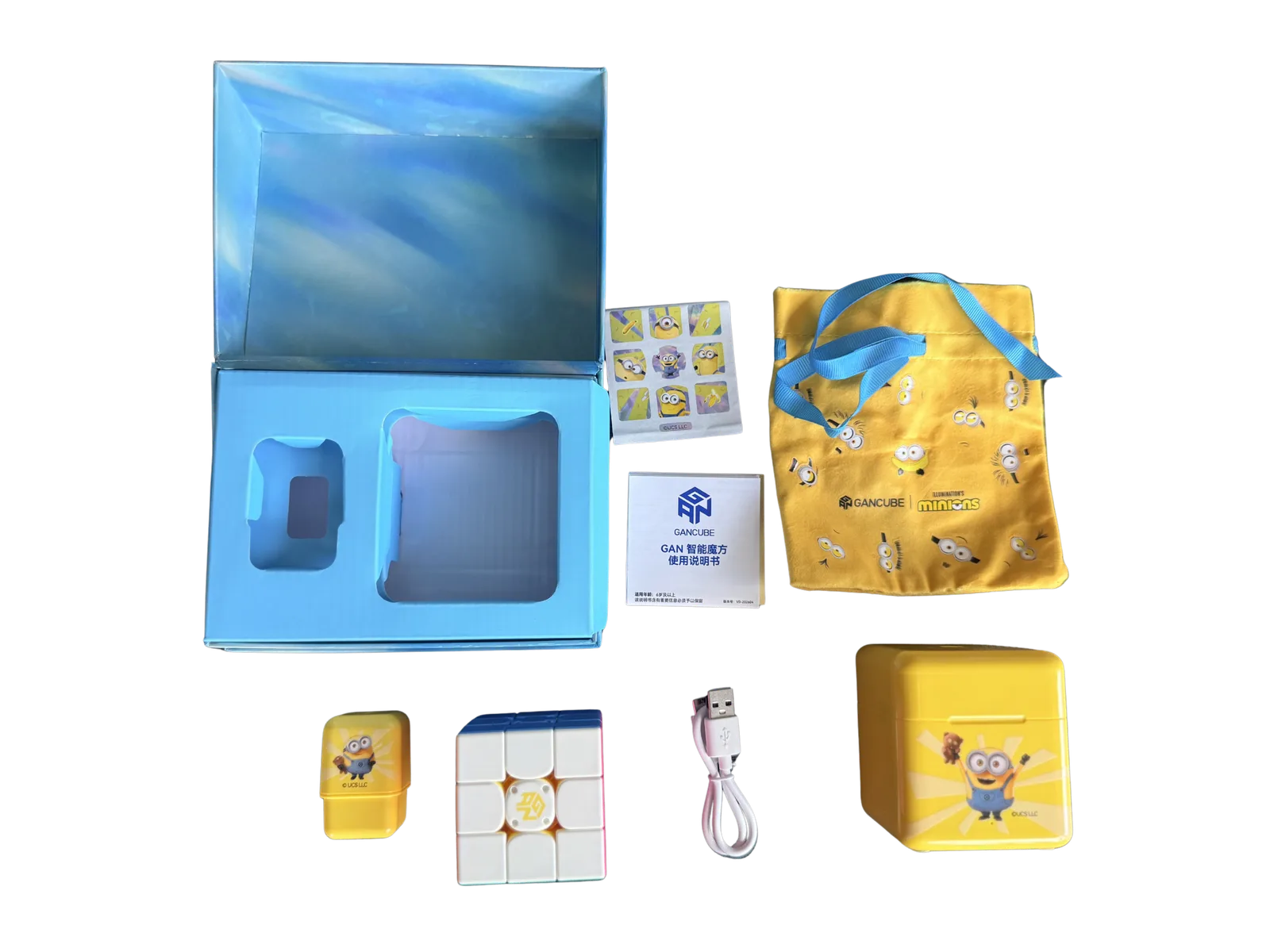
A quick note on the lineup. The i4 ships in three versions: MagLev UV Coated, MagLev Matte Coated and Leap Matte Coated. The first two run MagLev, the Leap keeps classic springs at a lower price. Our test unit is the Minions Edition, mechanically the UV coated MagLev cube in a themed outfit, so everything below applies to the standard stickerless version pictured here just the same.
Build Quality and First Impressions
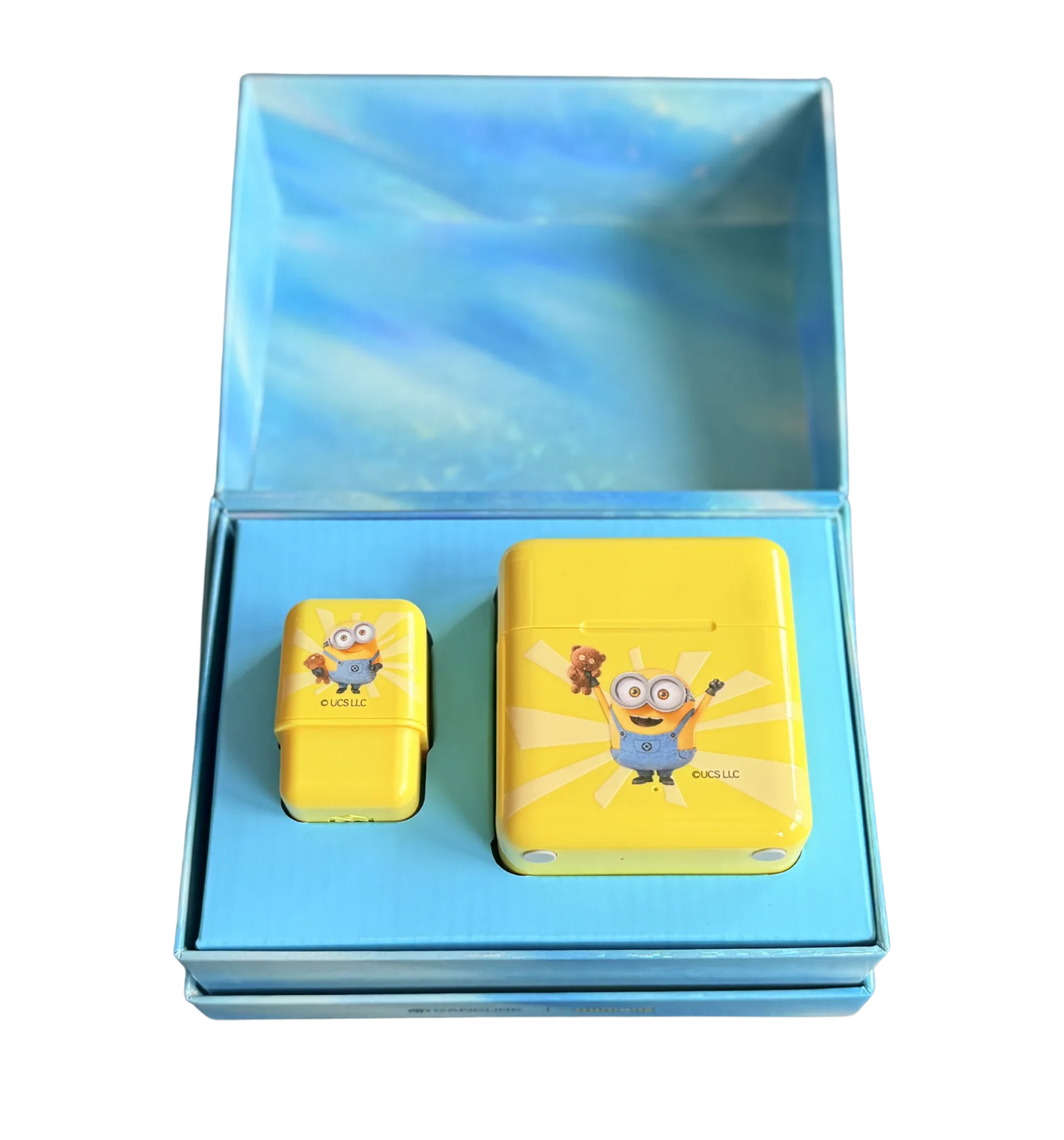
The unboxing is generous for this bracket. In the box: the cube, the GanPod charging case, a USB-A to USB-C cable, a drawstring cloth bag, a manual and a small spring tool for pulling the center caps. Our Minions unit adds a sticker sheet and a themed pod case. Packaging is the usual GAN standard: clean, sturdy, well thought out.
At about 74 g the i4 sits right in the normal range for a 56 mm 3x3, which is remarkable given the battery and sensor package inside. More importantly, the mass is spread evenly across the puzzle instead of pooling in the core like on the iCarry 4. In hand it feels like a well-balanced speedcube, not like electronics wrapped in plastic.
Charging and the GanPod
Charging is the single biggest quality-of-life upgrade over the iCarry line. The cube carries pogo pins on one center cap: drop it into the GanPod and it charges. No cable fiddling, no button cells to stock. GAN quotes around 30 hours in Performance mode with the gyro on and up to 200 hours in Endurance mode with gyro and recording off. A full charge takes about 2.5 hours, and a 10-minute quick charge is good for roughly 10 hours of solving. In practice we plugged the pod in once every few weeks. Battery anxiety is a non-issue.
One small caveat: the pod is picky about what you plug it into. Laptop USB ports did not work for us at all, and only certain adapter and cable combinations did the job. We have not pinned down the exact requirement yet, so if the pod refuses to charge, work through the chargers and cables you own before you assume the unit is faulty.
Turning Feel and Magnets
Out of the box the i4 is fast and smooth, clearly on the smooth side of the smooth-versus-tactile spectrum, and it arrives with a light film of factory lube. We ran it at the tightest, loosest and default settings. Default is nicely controllable and a sensible starting point; going looser is possible but costs stability, and the cube is at its best at default or a touch tighter. Adding a slow lube on top changed the feel for the better, buying a bit more smoothness and control.
The magnets sit right in the middle of the strength range, and they feel snappy: the snap on layer alignment is clear and the auto-alignment it produces is reliable. Corner-to-core magnets do a lot of the work here, and they are the main reason the i4 feels planted where cheaper smart cubes feel vague. This is a tuning that will suit the large majority of speedcubers.
One thing to know before buying: the magnet strength is fixed. There is no way to step it up or down and no swappable magnet system. That is not a complaint about how it feels, the stock setting is good, but if you enjoy tuning magnets yourself, the i4 shuts that door.
On sound: the i4 is not loud, and there is no rattle or harsh clicking. What we did notice is the plastic itself. It has a certain creak to it, closer to paper rustling than to a click, and when you put real force into a turn it creaks audibly. It is the one thing that makes the cube feel slightly cheaper than it otherwise presents.
Tensioning and Adjustability
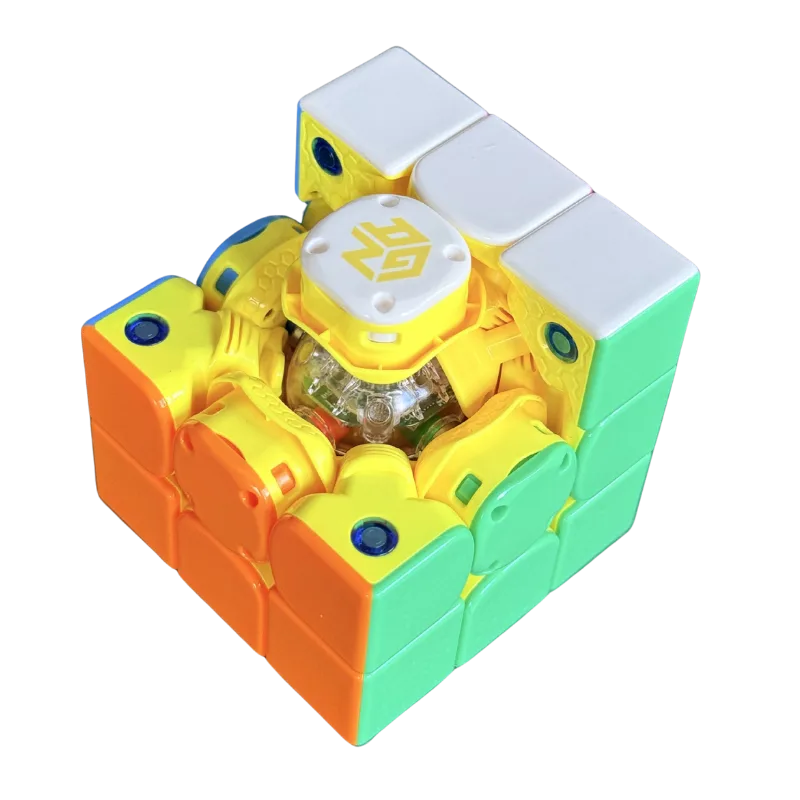
Tensioning uses the GES Pro+ system known from GAN's recent flagships: six center travel distances times twelve tension settings, 72 combinations in total, adjusted in seconds through the center caps. Aligning a face takes barely any force and feels precise. One caveat: the differences between neighboring settings are subtle. Think of it as fine-tuning a well-chosen default rather than transforming the cube.
Corner Cutting and Stability
Corner cutting is very good. Forward cuts land just short of a full 45° and reverse cutting reaches roughly 35°. That is flagship territory and well past what most solvers will ever ask of a cube. Lockups and catching were a non-event across the entire test period.
Stability holds up too. Pops: none, at any tension we tried. Corner twists: fewer than five in a thousand solves, rare enough that they never disrupted a session, and how often you see them depends heavily on your turning accuracy. If they do show up for you, a slightly tighter setting is the fix, and the cube is happy there anyway.
Smart Features and Tracking
Bluetooth pairing is quick and the connection stayed stable for us across weeks of sessions. What matters more is what the cube does with it. The worst thing a smart cube can do is lose moves, so we tested exactly that: across weeks of solving, including deliberate fast bursts above 15 TPS, the i4 did not drop a single move. Zero. That counts for more than any spec sheet number, because one missed turn corrupts an entire solve reconstruction.
The gyroscope is what actually separates the i4 from the budget class: full 360° orientation tracking at an update rate we measured at around 10 Hz. That is enough for orientation-aware solve reconstruction and rotation statistics, though 10 Hz is adequate rather than luxurious.
One point deserves to be stated precisely, because it is easy to misread: the gyro drifts, and that drift accumulates. Left alone it grows to a clearly noticeable amount over time. The cube does not fix this by itself. What keeps the orientation usable is a software measure on our side. Within a single solve the remaining drift stayed small enough that it never broke a reconstruction for us. We cross-checked against the native GAN app to confirm the behaviour comes from the hardware rather than from our own code.
Upgrading from an Older Smart Cube?
Most cubers eyeing the i4 come from the older i-series generation, a GAN356 i3 or earlier, or are choosing their first smart cube. For i-series upgraders, one thing upfront: the gyro itself is not the news, the i3 already had one. Everything around it is, and the gap is enormous:
- Modern flagship mechanics: MagLev core, corner-to-core magnets, GES Pro+ and corner cutting near 45° instead of the dated 356-era hardware
- Battery life in another league: up to 200 hours in Endurance mode versus roughly 15 hours on the i3
- GanPod convenience: drop-in charging and a 10-minute quick charge worth about 10 hours of solving
Even judged conservatively, the i4 is a big upgrade over the i3. The one trade-off for i3 owners: the adjustable magnet system (GMS, seven strength settings on the edge pieces) is gone. The i4 runs fixed magnet strength, so if you tuned your i3 toward stronger magnets, you will notice. And if this is your first smart cube, the decision is simpler: the i4 if you want gyro analytics and rechargeability, the cheaper iCarry 4 if timing and move tracking are all you need.
Who Should Buy the GAN i4?
Intermediate and advanced cubers who train with data are the target audience, and for them the i4 is an easy recommendation: it is a genuine main-cube-quality puzzle that happens to record everything.
Two comparisons are worth making. Against GAN's own 12 UI, the flagship is still the better cube, no question about it. But the i4 is a very reasonable step down: you lose little and save a lot. Outside GAN, its direct counterpart is MoYu's WeiLong v10 AI, the other cheap route to charging plus gyro for advanced cubers who do not want to give up any of the main features. The i4 costs a bit more, but it is noticeably more stable and easier to charge. Past that it comes down to brand feel, and if you prefer GAN turning to MoYu turning, the choice makes itself.
For beginners it is overkill. The iCarry 4 covers timing and move tracking for far less, and you can always upgrade once you know you want the gyro analytics. That is not a knock on the i4, just the wrong entry point.
Bottom Line
The GAN i4 is one of the two cubes worth arguing about in the mid-range, alongside MoYu's WeiLong v10 AI. GAN's official pricing runs $54.99 for the Leap, $64.99 for the MagLev Matte and $69.99 for the MagLev UV, and at that money you get close to a flagship feel with a full data stack: zero-loss tracking, a 360° gyro and pod charging. The fixed magnets, the faint creak in the plastic and the fussy charger are real compromises, but small ones. Judged on price to performance rather than outright performance, nothing else in GAN's lineup makes a stronger case.
Transparency note: GAN provided the I4 minions edition. GAN had no editorial control over the result; the testing, measurements, scores and conclusions above are entirely our own. Want to see what your solves look like with gyro data? Try acubemy with any supported smart cube.